


🧾 Description
This article addresses a common issue with Rhino II Android devices where the device remains connected to a distant Access Point (AP) until the signal is completely lost, causing a disconnection and session loss before reconnecting to a nearby AP. This behavior indicates improper Wi-Fi roaming.
Environment
Device: Datalogic Rhino II
Operating System: Android
Network: Wi-Fi with multiple Access Points (APs)
Symptoms: Session loss due to delayed roaming between APs
Cause
The device does not roam proactively between APs. Instead, it holds onto the current AP until the signal is lost, causing a disconnection and subsequent reconnection to a new AP. This results in session drops, especially in environments requiring persistent connections (e.g., terminal emulation).
🛠️ Resolution Steps
Step 1: Install the Wi-Fi Patch
Obtain the patch file:
rhino-ipreachabilitymonitor_disable-ota-signed-1.02.04.20190724.zip
(Do not unzip this file.)
Copy the .zip file to the Rhino II device.
On the device, open the System Upgrade app.
Select the OTA patch file and proceed with the upgrade as you would with a firmware update.
Step 2: Install the Wi-Fi Reconnection Tool
Obtain the APK file:
DL WiFi Reconnection Service.1.0.0-release.apk
Copy the APK to a USB stick and connect it to the Rhino II.
On the Rhino II, locate and install the APK by following the on-screen instructions.
Once installed, the service will run in the background and automatically attempt to reconnect to saved networks when the device is in a disconnected state.
This service remains active even after device reboots.
What is Wi-Fi Roaming?
Wi-Fi roaming allows a mobile device to automatically switch to the nearest AP when the current signal becomes weak, ensuring continuous connectivity.
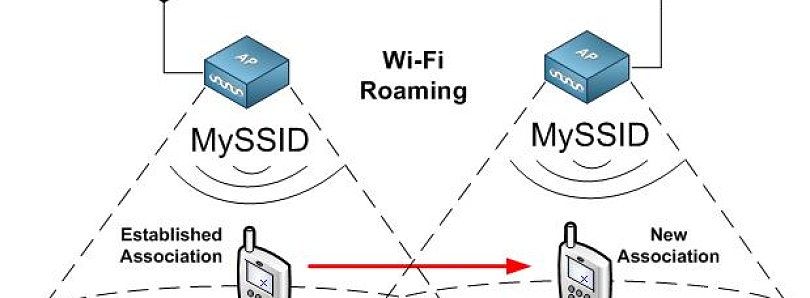
Best Practices for Wi-Fi Roaming:
All APs should:
Use the same SSID and security key.
Be configured on non-overlapping channels.
Enable 802.11r (Fast Roaming) if supported by all APs and if using WPA2 authentication. This allows for faster handoffs by caching credentials.