


🧾 Description
Below is a guide to setup match code/verifier in genius.
🛠️ Resolution Steps
Log in to your scanner with Genius and go to Operation Mode > Verifier and enable the settings
.
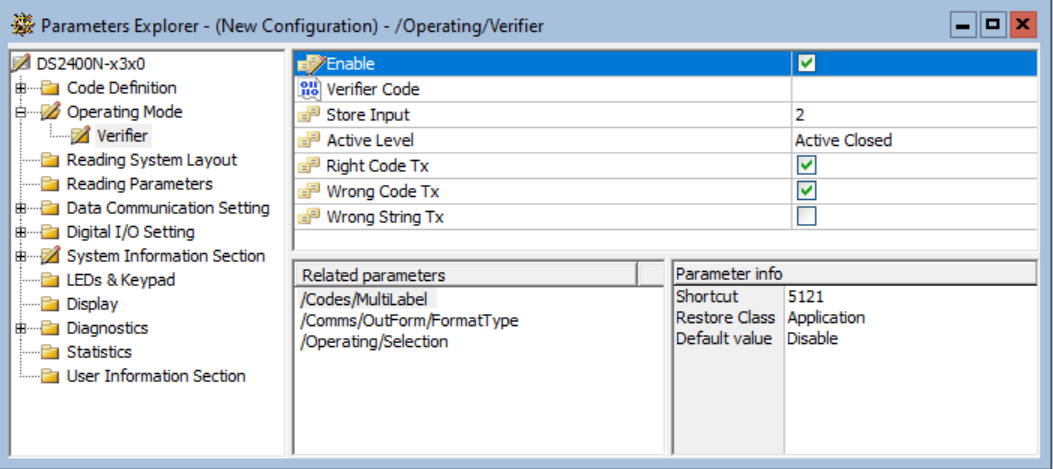
By default new codes are learned when input 2 is activated. The learn code input has to be on a separate input than the photoeye trigger.
Then to learn a new code - activate and KEEP input 2 active then trigger input 1, read code, then release input 2.